

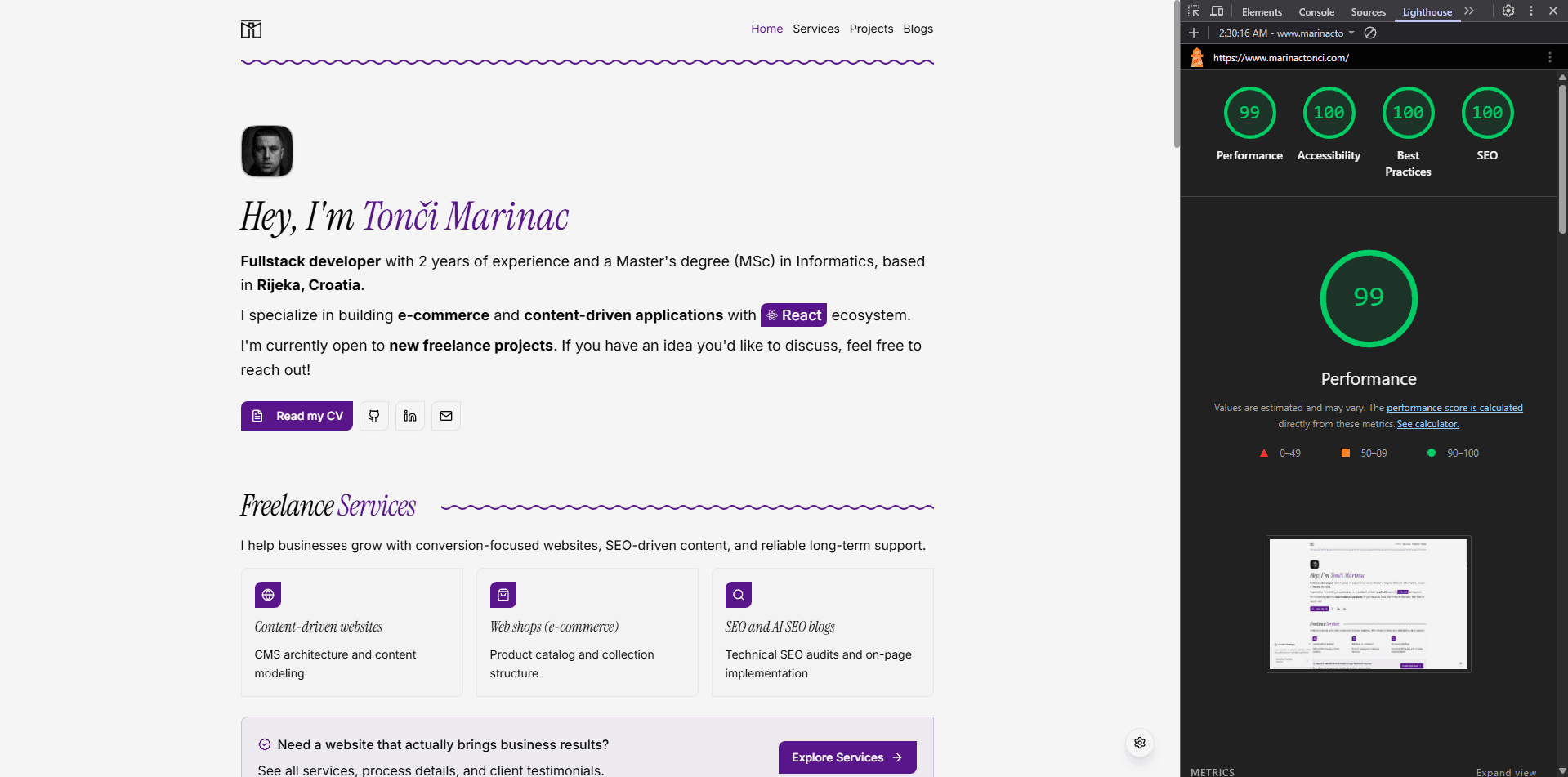
Lighthouse scores are often treated as something you either magically get or endlessly chase. In reality, getting consistent 100 scores across Performance, Accessibility, Best Practices, and SEO usually comes down to a handful of deliberate decisions and attention to detail.
In this article, I’ll walk through how I achieved perfect Lighthouse scores on my personal portfolio website and highlight the specific issues I had to fix along the way — including some that are very easy to overlook.
Accessibility: The Biggest Hidden Score Killer
Accessibility was the area where I had to be the most intentional. Lighthouse is very strict here, and small issues can quickly prevent a perfect score.
One of the main problems on my portfolio were links with non-descriptive text. On project and blog cards, I initially used links labeled simply as “Read more”. While visually clear, this is not descriptive enough for screen readers. When a screen reader lists all links on a page, hearing “Read more” multiple times provides no context.
In this case, adding an aria-label alone was not sufficient. Lighthouse still flagged the links. The correct solution was to include screen-reader-only text that provides proper context.
Tailwind CSS includes a built-in sr-only utility class, which makes this fix straightforward. Visually, the UI stays clean, but assistive technologies get the full description, such as “Read more about Project X” or “Read more about Blog Post Y”. This small change had a huge impact on the Accessibility score.
Images were another important factor. Every image on the site needed a meaningful alt attribute. Decorative images were explicitly handled, while content images always included descriptive alt text. Lighthouse is unforgiving here — missing alt attributes are an instant accessibility hit.
Finally, color contrast matters more than many developers expect. Text must have sufficient contrast against its background. This is easy to verify directly in Chrome DevTools using the Inspector, which highlights contrast issues instantly. You can also validate colors using online tools such as the Coolors Contrast Checker.
Best Practices: Keeping the Console Clean
The Best Practices category is often underestimated because it tends to score high by default — until something breaks it.
In my case, the key rule was simple: no errors or warnings in the browser console. Even seemingly harmless warnings can negatively affect Lighthouse scores and, more importantly, indicate potential runtime issues.
I also made sure that:
- the site is served entirely over HTTPS
- no deprecated APIs are used
- third-party scripts are minimal and intentional
A clean console is not just about Lighthouse — it’s a sign of a stable, production-ready application.
Performance: Let the Server Do the Heavy Lifting
Performance is where architectural choices matter most. On my portfolio, a major factor in achieving a perfect score was relying heavily on SSR and SSG.
By ensuring that as much content as possible is rendered on the server, the browser receives meaningful HTML immediately. This directly improves key performance metrics such as:
- First Contentful Paint (FCP)
- Largest Contentful Paint (LCP)
- Speed Index
Reducing client-side JavaScript work during initial load makes a noticeable difference. The less the browser has to calculate before displaying content, the better these metrics perform.
Images were also optimized carefully — correct sizing, modern formats, and explicit dimensions to avoid layout shifts. Performance isn’t about tricks; it’s about removing unnecessary work.
SEO: Structure First, Optimization Second
For SEO, Lighthouse mainly checks whether a page is crawlable, structured, and understandable. My portfolio already followed these principles, but SEO is a deep topic on its own.
I’ve covered SEO for modern web applications, especially in a Next.js context, in much more detail in a separate article.
In short, clear metadata, proper heading structure, crawlable links, and server-rendered content go a long way. Lighthouse doesn’t reward hacks — it rewards clarity.
Final Thoughts
Achieving 100 scores on Lighthouse metrics wasn’t about chasing numbers. It was about fixing real issues that affected accessibility, performance, and overall quality.
The biggest takeaway is this: Lighthouse scores are a reflection of discipline, not perfection. If you focus on semantic HTML, accessibility-first thinking, server-rendered content, and clean runtime behavior, high scores tend to follow naturally.
On my portfolio, each fix improved not only Lighthouse metrics, but also the experience for real users — which is ultimately what matters most.